Issue:
Processor will not start and an error shows up stating:
'<PROPERTY NAME>' is invalid because Property references one or more Parameters but no Parameter Context is currently set on the Process Group
Cause:
The processor group doesn't have access to the proper Parameter Context
Resolution:
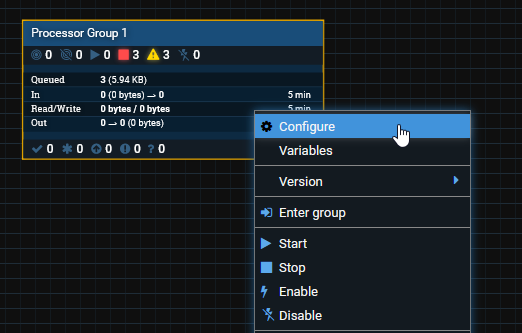
The Parameter Context must be configured at the Processor Group. Move to the top Process Group and right-click then select Configure on the Group
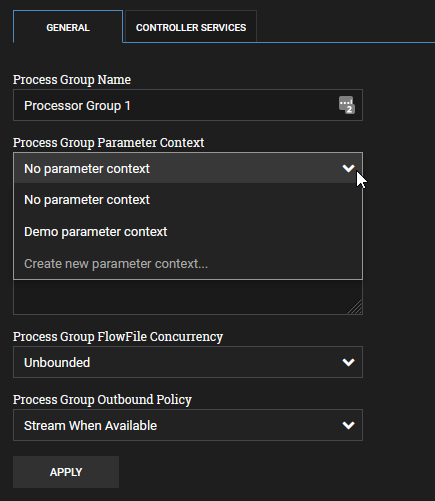
Select the proper Parameter Group then click Apply
Was this article helpful?
That’s Great!
Thank you for your feedback
Sorry! We couldn't be helpful
Thank you for your feedback
Feedback sent
We appreciate your effort and will try to fix the article